

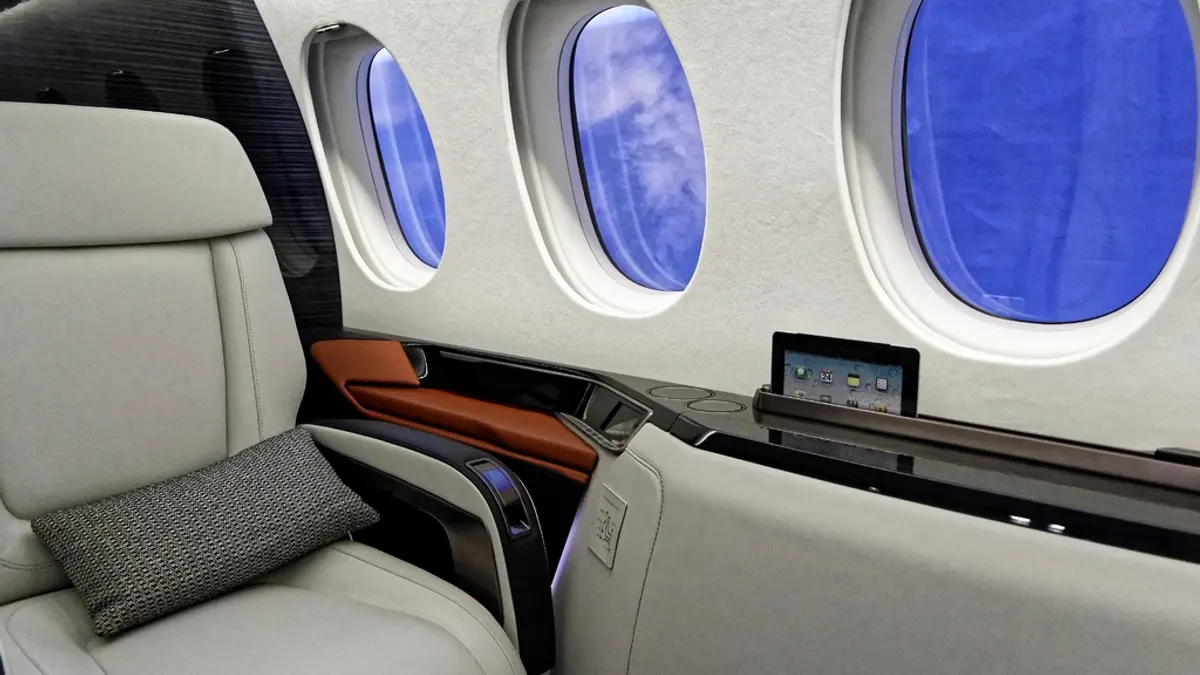
Many private jets have Wi-Fi, but it varies by aircraft. Air-to-ground systems such as Gogo's cover the contiguous US for email and browsing. Satellite systems, including Starlink and Gogo's LEO and GEO services, work over oceans and can support streaming and video calls. Ask the operator which system your specific aircraft has, and whether there is a charge or data limit.
Key takeaways
- Wi-Fi is aircraft-specific. Two jets of the same model can have very different systems, or none.
- Air-to-ground (ATG) covers the contiguous US and parts of Canada and Alaska; it does not work over oceans.
- Satellite systems cover international routes. Low-earth-orbit (LEO) systems such as Starlink and Gogo Galileo offer lower latency than older geostationary (GEO) systems.
- Wi-Fi may cost extra. Owners pay for data plans, and some operators pass the cost on.
- Ask before you book if connectivity matters for your trip.
What kinds of Wi-Fi do private jets use?
There are three main types: air-to-ground, geostationary satellite and low-earth-orbit satellite. Each trades off coverage, speed and cost differently.
| System type | How it works | Coverage | Best for |
|---|---|---|---|
| Air-to-ground (ATG) | Antennas on the aircraft connect to ground towers | Contiguous US, parts of Canada and Alaska | Email, messaging, browsing on domestic trips |
| Geostationary satellite (GEO) | Connects to satellites in a high, fixed orbit | Wide, including oceans | International trips on mid-size and larger jets |
| Low-earth-orbit satellite (LEO) | Connects to large constellations of low satellites | Wide, including oceans | Streaming and video calls with lower latency |
Gogo, the best-known US business aviation provider, offers all three. Its air-to-ground network covers the contiguous United States and parts of Canada and Alaska and is pitched for small to midsize aircraft. Its Galileo LEO service runs on Eutelsat OneWeb satellites, and its Plane Simple GEO service uses tail-mounted antennas on mid-size to large aircraft. Connectivity is one of many factors in choosing an aircraft; our charter flight cost calculator shows how much each class costs on your route.
Starlink on private jets
Starlink is SpaceX's low-earth-orbit satellite service, and it is spreading quickly through business aviation. It is known for low latency and high speeds compared with older satellite systems, which makes video calls and streaming much more practical in the air.
Two developments matter for charter customers:
- Large fleets are adopting it. AIN reported that NetJets is installing Starlink on about 600 midsize and large business jets, with installations due by the end of 2026.
- It has become more expensive for owners. According to OPSGROUP, Starlink's business aviation plans roughly doubled in price from August 2026, with monthly plans of $4,000 for 25 GB in one region, $12,500 for unlimited data in one region and $20,000 for unlimited data worldwide.
For charter passengers, that means Starlink-equipped aircraft are becoming more common, but operators that pay high monthly fees may charge for Wi-Fi or limit data. Installation requires approval for each aircraft type, so not every model can have it yet.
Which jets are likely to have Wi-Fi?
Larger and newer jets are more likely to have fast Wi-Fi, but every aircraft is different.
| Class | Typical connectivity | What to expect |
|---|---|---|
| Turboprops and very light jets | Often none, or basic air-to-ground | Messaging and email at best |
| Light jets | Some have air-to-ground | Email and browsing on domestic routes |
| Midsize jets | Air-to-ground common; some have satellite | Browsing; streaming on newer systems |
| Super midsize jets | Wi-Fi on many models; satellite increasingly common | Video calls and streaming on newer systems |
| Heavy and ultra long range jets | Satellite usually needed for oceanic flights | Global coverage on equipped aircraft |
This is general guidance. The age of the installation, the data plan and the number of people online all affect what you actually get.
How fast is private jet Wi-Fi?
It ranges from enough for email to fast enough for video calls, depending on the system. Air-to-ground systems are typically fine for messaging, email and light browsing, with more capable versions on newer installations. Low-earth-orbit satellite systems such as Starlink and Gogo Galileo are designed for high speeds and low latency, which helps with video calls and streaming. Older geostationary systems cover wide areas but have higher latency, because the signal travels much farther to and from the satellite.
Real-world speed also depends on:
- How many devices are connected. Bandwidth is shared across the cabin.
- The data plan. Some plans slow down or stop after a data allowance.
- Where you are flying. Coverage and capacity vary by region.
If you need a reliable video call, ask the operator whether the aircraft's system has supported calls on similar flights.
Is Wi-Fi included on a charter flight?
Sometimes. Aircraft owners pay for hardware and monthly data plans, which can be costly, as Gogo's published data plans and Starlink's 2026 price changes show. Operators handle this differently:
- Included, often on larger jets or with premium operators.
- Charged by the hour or by data used, listed as an extra on the invoice.
- Included up to a limit, with charges beyond it.
Wi-Fi is one of the extras that can appear on a quote; our guide to repositioning, overnight and other charter fees explains how extras are billed. Ask for Wi-Fi terms in writing when you compare quotes.
What to ask the operator about Wi-Fi
- Does this specific aircraft have Wi-Fi? Ask for the tail number's system, not the model's typical setup.
- Which system is it? Air-to-ground, GEO satellite or LEO satellite such as Starlink.
- Will it work on my route? Air-to-ground will not work over oceans or outside its coverage area.
- Is it included, and is there a data limit? Get the terms before you fly.
- Can it handle video calls or streaming for the number of people traveling?
- What happens if it fails? Connectivity is rarely guaranteed, so ask whether any charge is refunded if the system does not work.
Wi-Fi on international and overwater trips
If your route crosses an ocean or leaves North America, only a satellite system will keep you connected. An aircraft with air-to-ground Wi-Fi alone will lose its connection once it flies beyond the ground network, for example on a flight to the Caribbean, Europe or Hawaii.
For these trips:
- Ask specifically for satellite Wi-Fi when you request quotes, and confirm the system covers your whole route.
- Expect a mix of aircraft. Many long-range jets have satellite systems, but older installations may be slower or have data limits.
- Plan offline work for any gaps, such as polar or remote oceanic sections where coverage can be thinner.
For transatlantic planning, see our guide to flying a private jet to Europe from the US.
Can you make phone calls on a private jet?
Not on the cellular network, but often over the aircraft's Wi-Fi. Under the FCC rule at 47 CFR 22.925, cellular phones carried aboard an aircraft must not be operated while it is airborne, so phones should be in airplane mode with cellular service off once you leave the ground.
What usually works instead:
- Wi-Fi calling and messaging apps over the onboard Wi-Fi, where the system has enough capacity and the operator allows it.
- Video calls on faster satellite systems, with the same caveats.
- Installed satellite phones on some larger aircraft, often billed by the minute.
Call quality depends on the system and how busy the connection is. In a small cabin, calls are also heard by everyone, so agree on etiquette with the group before departure.
Keeping your data secure on aircraft Wi-Fi
Treat onboard Wi-Fi like any shared network. The aircraft's network is private to the passengers on that flight, but you may not know how it is configured.
- Use your company VPN for work email and files.
- Prefer apps and sites that use encryption, and avoid entering sensitive passwords on unfamiliar portals.
- Turn off file sharing and automatic network discovery on laptops.
- Ask the operator whether the network is password-protected, especially on group trips with people outside your company.
Tips for staying productive in the air
- Download what you need before departure: documents, maps, films and music.
- Plan calls for cruise. Connectivity can be limited during taxi, takeoff and landing, and on some systems below a certain altitude.
- Limit background data. Pause automatic backups and updates to keep bandwidth for what matters.
- Have a backup plan for critical calls, such as scheduling them before or after the flight.
For business travel, see our guide to executive jet charter, which covers working on board and choosing the right aircraft.
Choosing an aircraft with the right connectivity
If Wi-Fi matters for your trip, say so when you request a quote, and ask for aircraft with a system that suits your route. For international or overwater flights, ask specifically for satellite connectivity.